-
SSH into Heroku server from your local machine.
heroku ps:exec -a <APP> -
On the heroku server, find the
nodeprocess ID (PID) by runningps auxorps aux | grep -i nodecommand. In the below sample output, thePIDis46.~ $ ps aux USER PID %CPU %MEM VSZ RSS TTY STAT START TIME COMMAND user 46 0.0 0.0 767320 58160 ? Sl 21:35 0:00 node ./bin/www -
On the heroku server, run the below command to send
SIGUSR1signal to the node process to enable its debugger. Check documentation here.kill -usr1 <PID> -
On your local machine, run the port forward command. (Note: Before running the below command, running
lsof -i:9229should not return any PID. This is to make sure the port is vailable on your local machine.)heroku ps:forward 9229 -a <APP> -
On your local Machine VS Code, add this configuration.
{
	"type": "node",
	"request": "attach",
	"name": "Remote Heroku: Debug Remote Server",
	"address": "localhost",
	"port": 9229,
	"protocol": "inspector",
	"localRoot": "${workspaceFolder}",
	"remoteRoot": "/app"
}
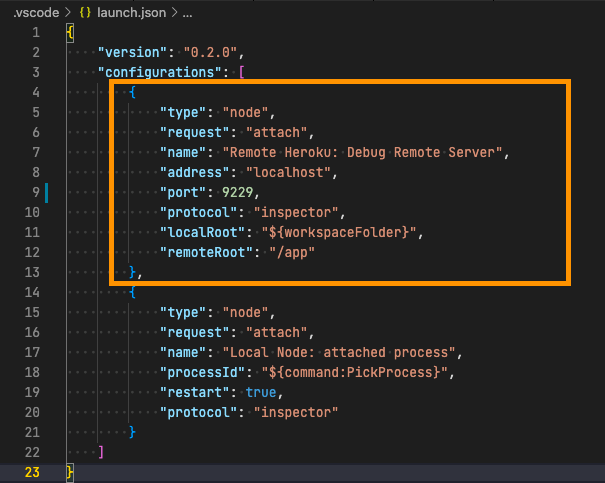
- On your local machine, by running the debug configuration, you would be able to attach to the remote process via
9229port.
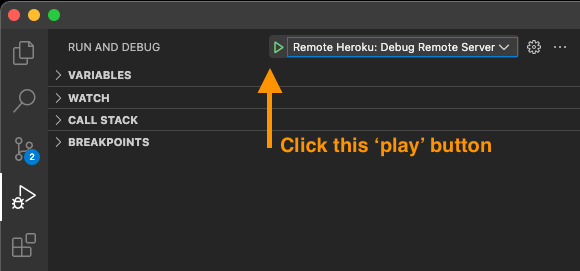
- You can set breakpoints and be able to debug remote heroku node process.